The mission module is for units and organizations that do not want to assemble missions from separate lists, messenger threads and paper notes. It does not replace professional decisions, but it gives mission leaders and active teams a shared digital status.
When many things happen at once
At the start of a search, information arrives through radio, phone, dispatch, maps, GPS files and verbal updates. RescueDogs keeps those details together with the mission.
- Alerting, responses and additional alerts stay in one overview.
- Search areas, tracks, weather and situation points stay on the map.
- Documentation is built during the mission and remains available afterwards.
Alerting and additional alerts
Mission leaders can create a mission, select individuals, groups or roles, add keyword, location and comment, and track responses live in the mission.
Mission map as the shared picture
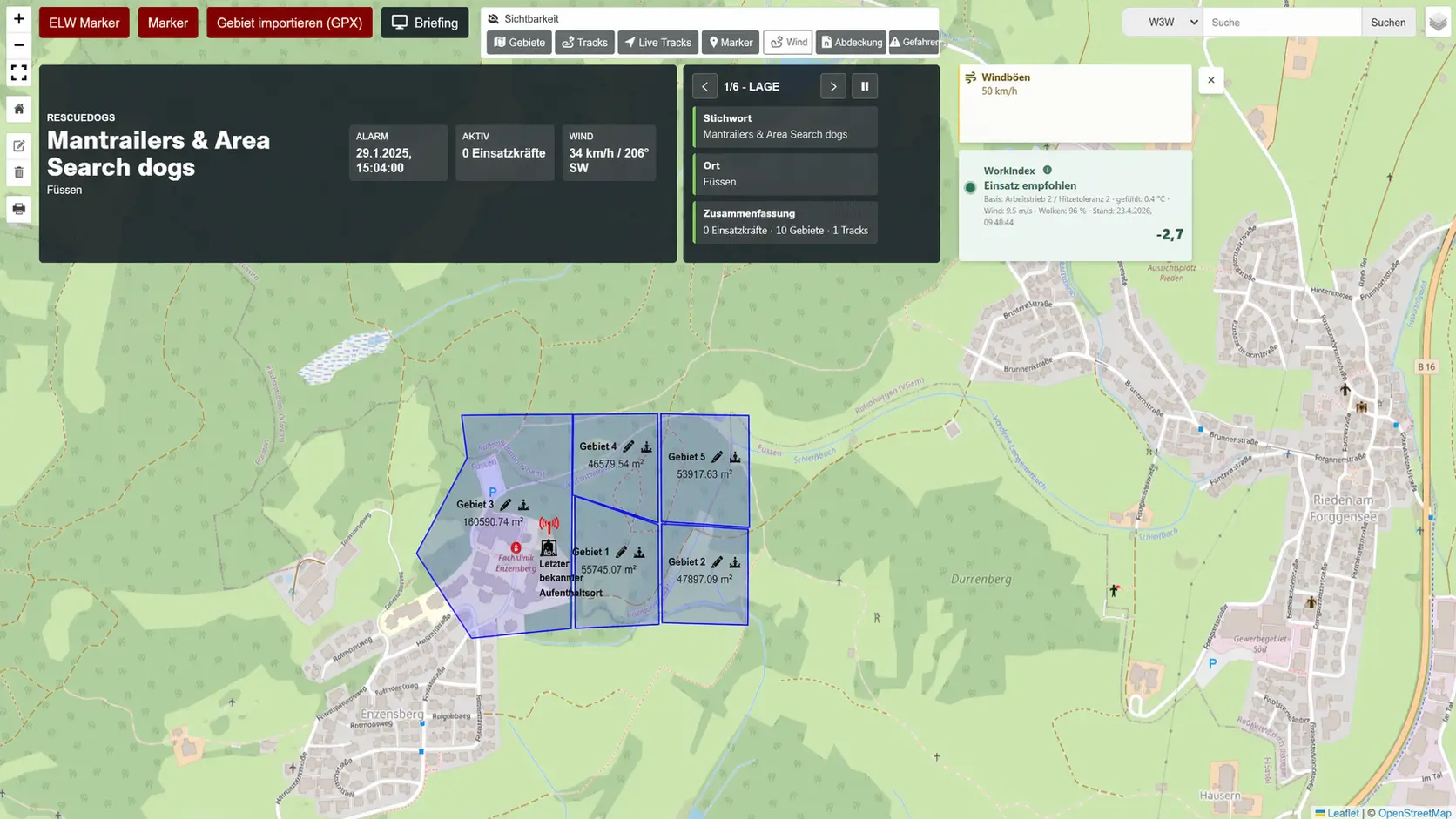
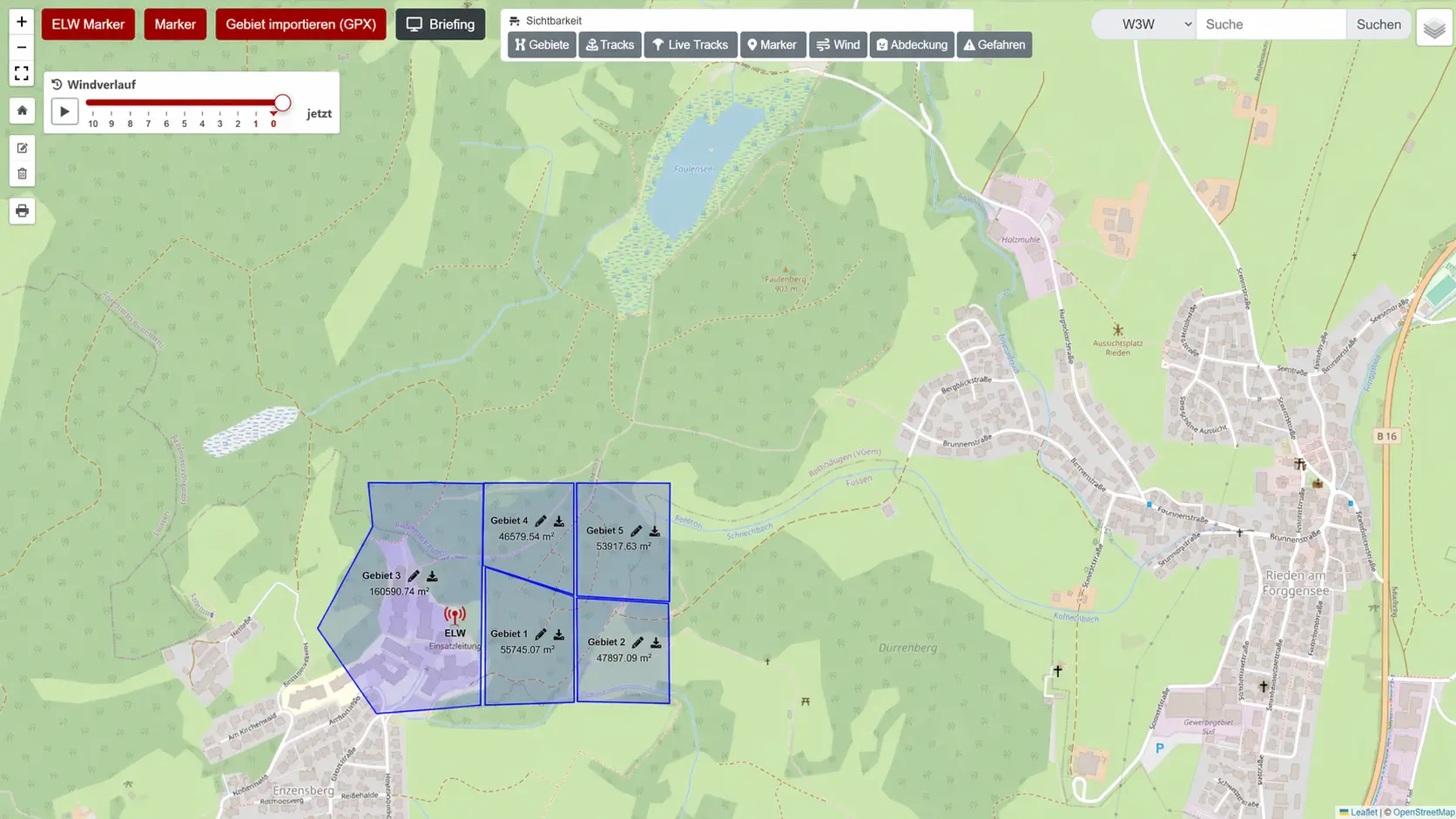
Search areas can be drawn or imported via GPX, named, colored and documented with calculated area. Live tracks, markers, weather, coordinates and 3-word addresses give spatial context. Additional wind views and the scent corridor require an authorised weather service.
Keep the map and tasks in view
In the web version, mission leaders switch directly between assignments, teams, mission history and weather. Wide windows keep the map beside the working panel; smaller windows adapt to the available space. The existing tile layout remains available.
On the web, mission leaders plan assignments with time windows, radio channels, rendezvous points, personnel and equipment. Clues can be assessed and linked to assignments, and individual search sessions can have notes added. Personal notes and an overview without names support preparation and briefings. Responders continue to use their personal mission view.
Your own trackers and official weather warnings
Organisations can connect their own Traccar server and select devices for each mission. Their positions appear on the web mission map. While a command map is open, newly received positions are recorded as mission tracks from the time devices are selected. Earlier routes are not imported. Your own Traccar account and device access are required; the organisation provides the server and covers any associated costs.
Official DWD warnings complement the weather view for search areas and neighbouring areas in Germany. Original messages, validity and update times remain visible. Failed or outdated updates are indicated. Source: Deutscher Wetterdienst (DWD, German Weather Service).
Documentation, chat and reports
Chat, text blocks, photos, forms and mission notes stay attached to the mission. Reports can include overview, map, responses, communication, weather, areas, markers, forms and tracks.
Several authorized people can add short mission notes at the same time. Entries remain available for retry when delivery has not been confirmed. Find updates in the mission timeline by text, person and event type; your filters stay in place during refreshes.
On the web: follow assignments for each responder
See which assigned responder has accepted a task, their reported progress and their result. One person finishing does not automatically complete everyone else’s work. Linked mission and assignment equipment adds context, with reservations kept separate from actual issue.
Debriefing remains optional. If you want to retain follow-up actions, add a responsible person, a due date and, when useful, a link to an existing training event. Turn a lesson into the next exercise.
Completed forms keep the template version used, even when questions change later. Archive used templates to preserve the meaning of earlier answers.
In the alarm manager, check incoming RescueDogs or Alamos V2 data against the selected alarm group without sending an alert. When an alarm source is used, continue to check the actual responses.
From notification to response
Choose “Coming”, “Coming later” or “Not coming” on the alarm notification. The app opens the matching response so you can confirm your choice and, where needed, your arrival time. A shared mission link takes signed-in members with permission directly to that mission.
Availability and team overview
The availability view brings roles, current availability, shared dog data, exams, resource status and active missions closer together. Public profiles never show members, live data, mission locations or sensitive situation details.
Hosting, data and support
Our privacy information (German) identifies Frankfurt am Main as the server location and explains how external services are involved. Web and app connections use HTTPS. Organization access follows assigned roles; public profiles show only approved information, without member lists or live locations.
For setup, module offers and questions about data, contact rescuedogs@it-bruderhofer.de. RescueDogs supports coordination and documentation; operational decisions remain with the responsible mission leaders.
Turn scattered details into one operational picture.
For offers, trial phases, volume licenses or invoice purchase, direct contact is the fastest route.
Practical guide · 16 October 2026 · Lukas Bruderhofer / IT-Bruderhofer
Hand over a search area and record responses
- The mission lead names the area, assignment, responsible team and response channel.
- The team checks the assignment and area and records the agreed progress.
- The lead reviews the response, timestamp and track together. An old location or a gap does not prove complete area coverage.
- After completion, carry results, open points and next actions into the documentation and debrief.
After sending an alert, check members’ responses. A sent notification does not mean the person has seen it. Agree an additional contact method for missing responses.